If you are a growing Meesho seller, you know the daily struggle of order fulfillment. When you download a batch of shipping labels, they are arranged in a random sequence. To pack items quickly, you have to manually sort the sheets: putting S sizes in one pile, M sizes in another, and grouping SKUs together. This manual sorting takes hours and leads to packing mistakes.
The Problem with Random Label Sequencing
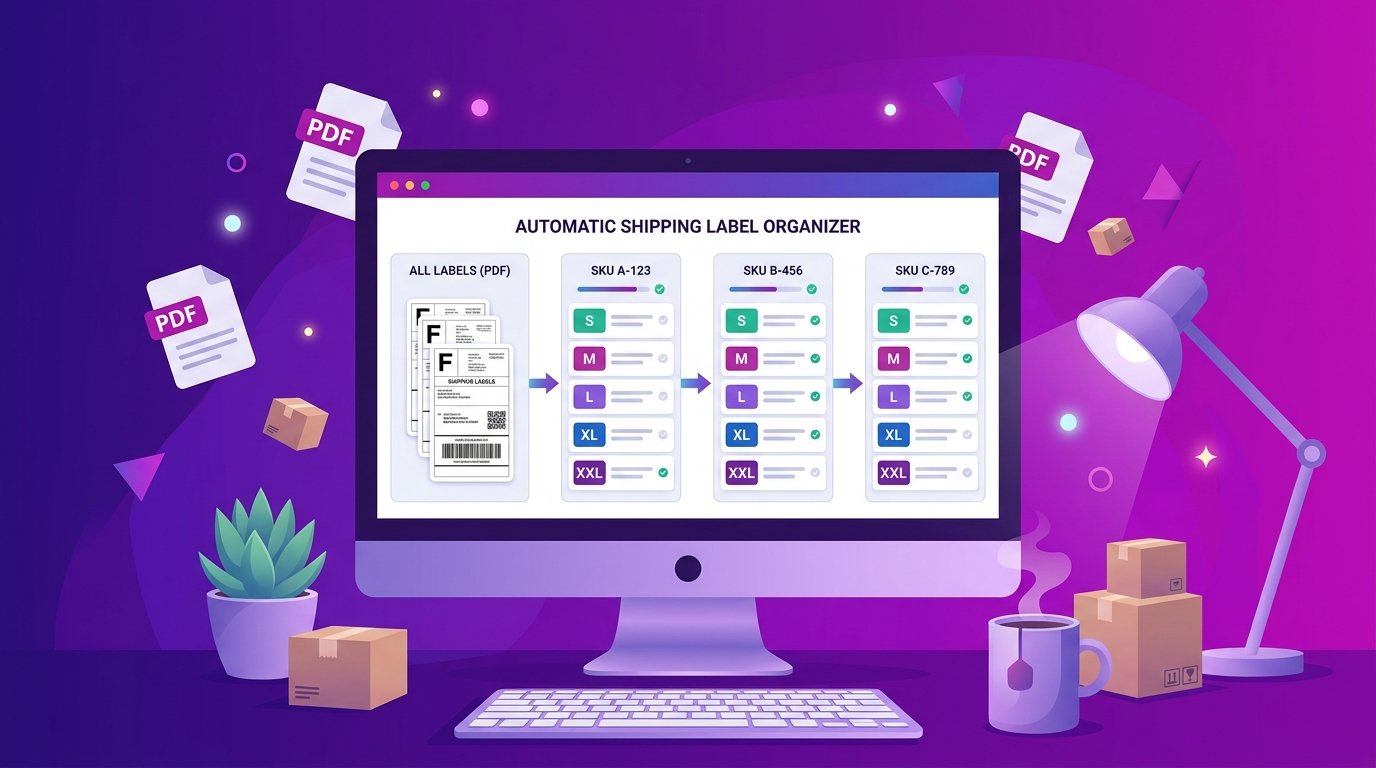
When packing orders, efficiency is everything. If your packing table has a pile of mixed products (e.g. kurtis, shirts, and jeans), your staff has to continuously walk around the warehouse to find the items. If your labels were instead grouped by product SKU and sorted by size (from Small to Extra Large), you could pack all of one SKU at the same time, saving valuable steps and time.
How to Automate Meesho Label Sorting
Using EasyOrderLabel, you can automate this workflow in under 10 seconds. Here is the step-by-step process:
- Upload your PDF: Drag and drop your original Meesho label batch PDF into the upload box on our homepage.
- Instant Analysis: Our engine reads the text on your labels, extracts the Seller SKU ID, clothing size, and quantity, and immediately groups them.
- Review the SKU Summary: You get a clean, editable table in your browser showing the total quantity needed for each SKU. If you are out of stock for a particular SKU, you can set its quantity to
0so it fades out. - Download Sorted Labels: Click "Size-wise Croped PDF". The tool generates a new PDF where all labels are grouped by SKU and sorted by size (S → M → L → XL). Additionally, all margins are cropped to a perfect 4x4 inches for direct thermal printing.
Best Thermal Print Settings for Meesho Labels
Once you download your cropped PDF, make sure you configure your thermal printer (Zebra, TSC, Xprinter) correctly:
- Set paper dimensions to 4 x 4 inch (100mm x 100mm) or 6 x 4 inch depending on your roll.
- Set scale to Fit to Area or Fit to Paper. Do not use "Actual Size" as it might crop the barcodes.
- Set print orientation to Landscape or Auto.
By automating your label sorting, you can slash your dispatch time by up to 70% and completely eliminate wrong-item packaging errors!